
After logging in you land on the Dashboard. The black bar down the left is the main menu; everything you need is in it.
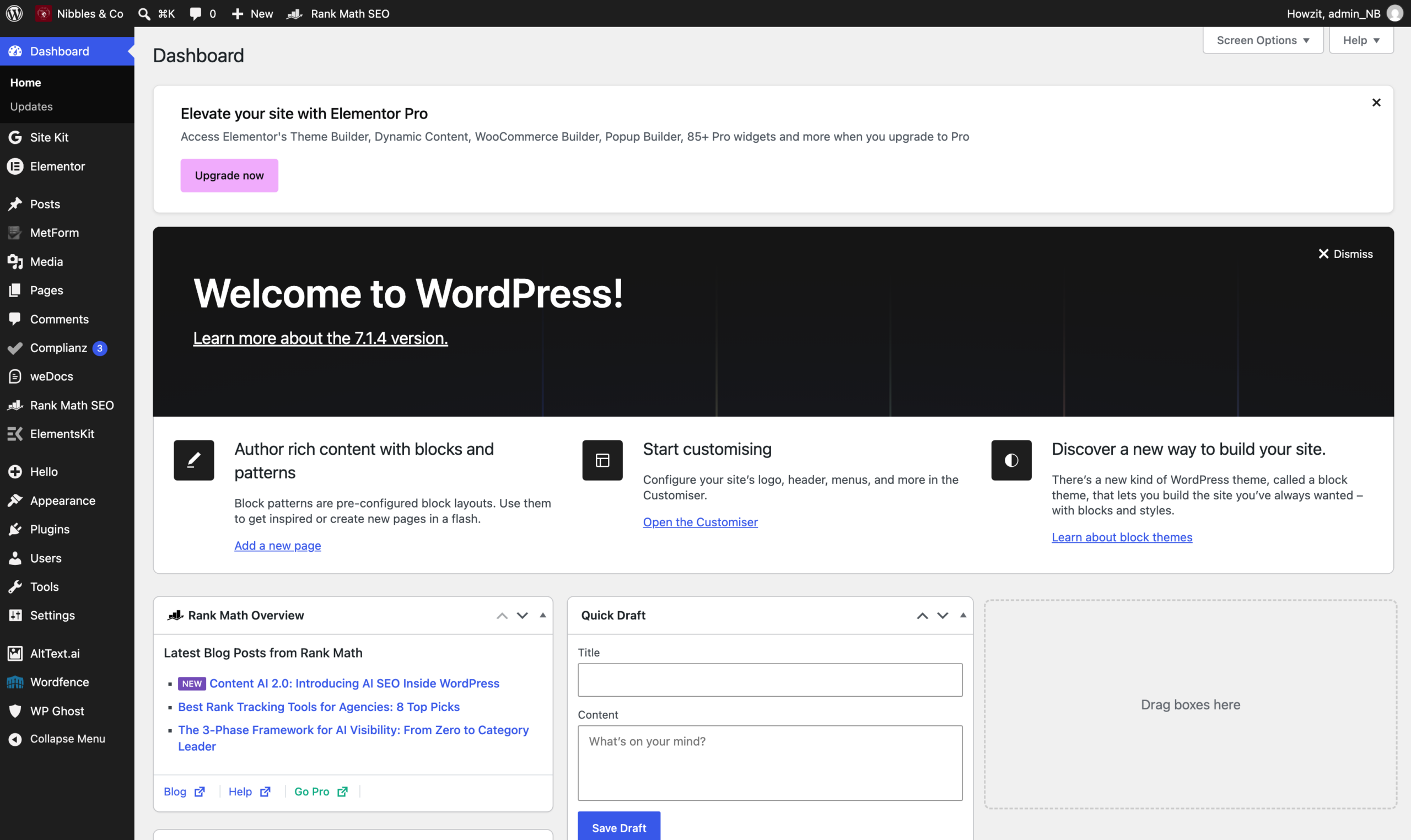
The items you will use most:
- Pages — every page of the website. This is where most editing starts.
- Media — all photographs and images that have been uploaded.
- MetForm — enquiries submitted through the Get a Quote form.
- Users — the people who can sign in.
- weDocs — this manual.
- Appearance > Menus — the navigation links in the header and footer.
The rest — Elementor, ElementsKit, Rank Math, Complianz, Wordfence, WP Ghost, Site Kit, AltText.ai — are tools that run in the background. You rarely need to open them, and several are covered in What not to touch.
Notices at the top
WordPress and its plugins show coloured banners asking you to review a plugin, enable a setting or start a trial. They are advertising and reminders, not errors. You can dismiss them with the small ×. Never click a banner that offers to upgrade, buy or activate a licence without checking first.