
The site is managed from the WordPress admin area. You reach it at one address only:
https://nibblesandco.co.za/nibblelogin
Bookmark it. The usual WordPress addresses (/wp-admin and /wp-login.php) are deliberately blocked and will show a “Forbidden” error. That is a security measure, not a fault.
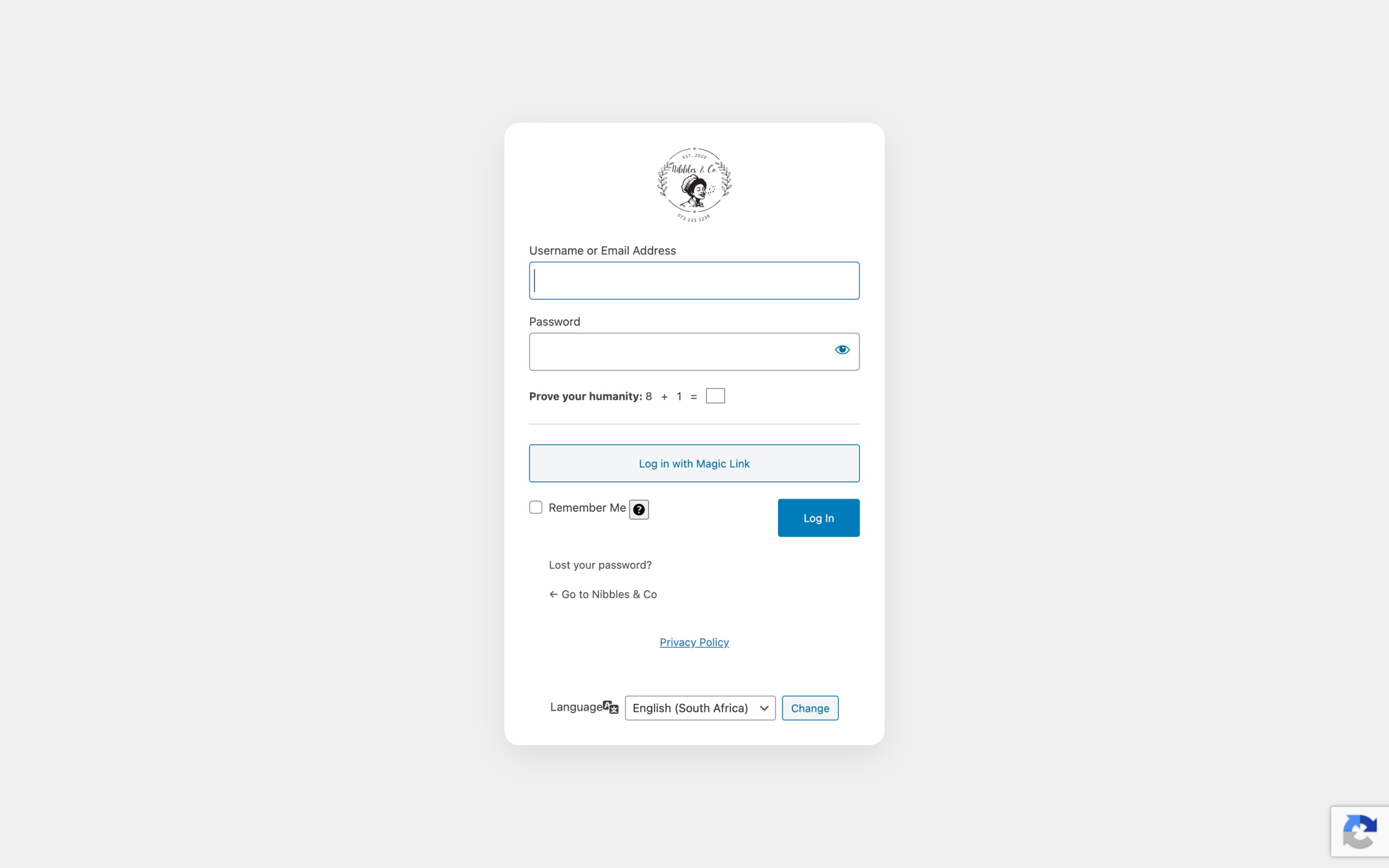
What you fill in
- Username or Email Address — whichever you were given.
- Password — tap the eye icon to check what you typed before submitting.
- Prove your humanity — a small sum, for example “3 + 9”. Type the answer in the box. The numbers change every time.
- Click Log In.
Log in with Magic Link
If you would rather not type a password, click Log in with Magic Link. Enter your email address and the site sends you a one-time link that signs you in when you click it. The link expires, so use it soon after it arrives. If it does not appear within a few minutes, check your spam folder.
Remember Me
Ticking Remember Me keeps you signed in on that device for two weeks. Only use it on a device nobody else can open.
If you forget your password
Click Lost your password? and follow the email. If no email arrives, contact Kemoso rather than trying repeatedly — too many failed attempts will lock your IP address out of the site for a period.