
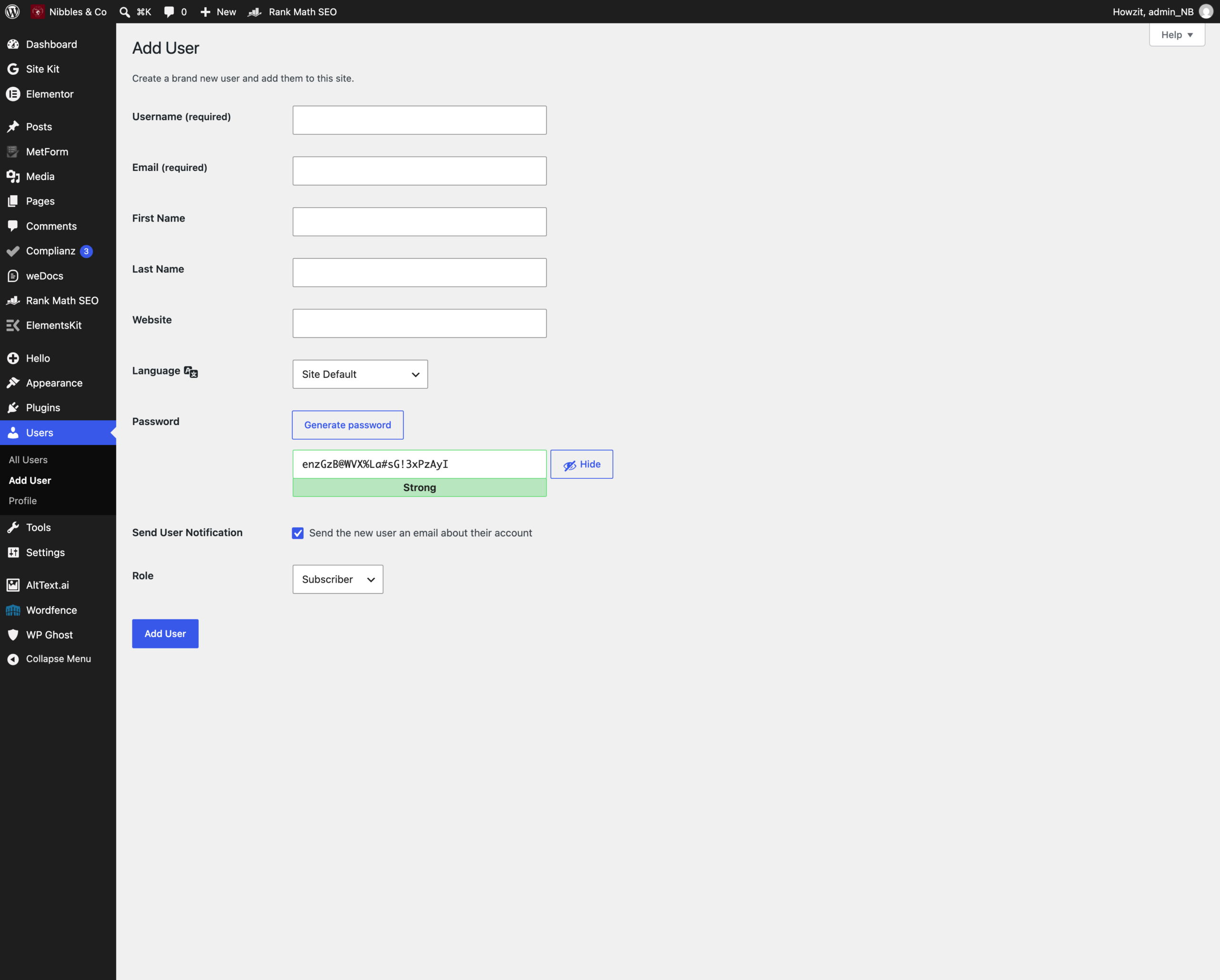
Adding a user
- Go to Users > Add User.
- Fill in a Username (it cannot be changed later) and their Email.
- Leave Send the new user an email about their account ticked, so they set their own password. You never need to know it.
- Set Role — Editor unless there is a reason otherwise.
- Click Add New User.
Never share one account
Give each person their own login. Shared accounts mean you cannot tell who changed what, and when someone leaves you have to change a password everybody knows.
When someone leaves
- Go to Users, hover over their name and click Delete.
- WordPress asks what to do with anything they created — choose Attribute all content to and pick another user. Do not choose delete, or their pages go with them.
Remove the account on their last day. An unused login is a way in.
Two-factor authentication
Wordfence can require a second code at login, from an app on your phone. The Users list shows a 2FA Status column. Turning it on for administrator accounts is strongly worth doing. If an account shows Locked Out, see Troubleshooting.